Saturday, 20 April 2013

Editing

AB - 20/04/13

Editing
 
The Challenges:


Importing
Having spent 2hrs importing both the rough footage and audio from the hard drive onto the computer, we found that the footage could only be accessed when the hard drive and the was connected. This meant that every time we wanted to edit we had to connect the hard drive

Logo
Our logo for Crane Shot Productions is an image rather than film. When we first inserted it the image became stretched and enlarged.
We spent many time in lessons trying to overcome this. Asking our teachers for assistance which they unfortunately weren't able to help us with. We even resulted to looking for help on Google, Apple and YouTube yet we still did not know how to fix it.
Thankfully we did eventually sort it! After clicking on the inserted, warped image a crop sign will appear in the top left of that image on the time line. Click on the crop sign and in the viewing box in the top left corner click fit.
 
Font
The font for our film opening became a real problem for several reasons. The first of which is the lack of choice.
 
 IMovie has a choice of nine fonts, none of which particularly fit our film.In the end we picked American type writer due to one of our influences for our film.

The film Perks of being a wallflower uses type writer font and as we can draw links in the style of our film to this film, we thought it was the best out of the choice that was available to us.


We also made further research at title websites to try and get a feel for the sort of title we might use:

 
Another difficulty we face with the font was that we could only have it aligned in the centre, left or right. Due to the composition of the shots, this choice of alignment was restricting as we needed to be able to move the text to wherever we wanted.
 
To try and help us we looked at you tube videos such as:
However none of these helped and unfortunately the text could not be moved.

 
Although the font is not exactly how we would want it to be and the position is not great. However we chose to stick with this. The reason for this is because, we wanted our font and the animation that goes with it to be purposely dissonant from the footage to reflect our protagonists state of mind. Using the titles sudden movement we're trying to reflect her personalities to them. This is to further emphasise her disorder, accompanied by the footage. Together they represent her loss of identity.
If we had more time and the right programmes to customise our own, we would definitely design something that is much more suitable for our film. However, for now this is as close as we can get to our initial idea.
 
Sounds
We have contemplated long and hard about the sounds of our film. Comparing our final project to our plan, we have made some drastic changes. Originally we aimed on having May's voice over in the footage to narrate what's happening in each scene to introduce each personas. However, after debating for a long time on what to do; we have decided to abandone this for the following reason...
  1. Due to our limited time, the footage are too short to be accompanied by a voice over. We have recorded Daisy as a practice and used the audio file with our film but it came out clumsy and rushed. It completely lacked the sophistication we desired.
  2. Adding a voice over will mean having 3 layers of sounds: Wildtracks, non-diegetic and Voice over. Using the practice audio of Daisy's voice, we tested what it would sounds like and it was chaos. The sounds became too overwhelming and it just became distracting for our footage.
  3. Finding the time to record the voice over. Since our actress Vita Oldershaw attends Uni out of Oxford, getting the voice over will involve us travelling to see her to record them. However, due to our mismatching schedules; this proved to be impossible. We didn't want to cause Vita any inconvenience as she had helped us enough already with our film; in addition to this we all had other A-levels which we're committed to.
 

Friday, 19 April 2013

Crane Shot Productions Logo

AB - 19/04/13

Crane Shot Productions: Logo
 
The creation of our logo:
 
Although we knew that we wanted our logo to be associated with the crane bird, we didn't know how we were going to make this picture look creative and at the same time professional. After searching, I finally found an app on my IPad called "Fingerpaint" which allowed us to copy a picture off of Google and make it more eye catching and 'logo worthy'. So, to start off we chose a sketch of a crane bird from Google images and transferred it to the IPad app. We decided that a sketch of the bird would be better than an picture of a real crane as we only wanted the outline and didn't think that our logo should look like a realistic bird but more of a creative drawing.
 
This is the picture that we took from Google Images:


Dasiy then used "Fingerpaint" to add the colours, using the app's features to make the strokes seem feather like and soft.
 
This is the picture when Daisy had finished adding the colours and effects:


Unfortunately, we had to find a way of making the background purely white. "Fingerpaint" would not allow us to do this and so I downloaded another app on my IPad called "DrawCast" which then allowed me to carefully colour over the blue lines in the picture above. This did take a few hours but I finally coloured over the majority of the lines so that they were no longer noticeable.
 
 
This is our logo with the background painted completely white:


However, our group came to a dilemma when we decided that the white background did not look professional enough and that perhaps our logo would look more striking and 'logo worthy' if we had it on a black background. Unfortunately, we could not find an app or programme that allowed us to just change the colour of the background. Therefore, it took a few more hours to go back to the very original picture that we got from Google Images and use "DrawCast" to colour the entire background black. I was unable to take the picture above and paint the background black with the colouring that Daisy had drawn on already. This is because I was not able to take away all of the white without damaging Daisy's colouring and making the logo look messy. Therefore, I had to go back the the very original picture that we took from Google Images and change the background to black, being careful not to ruin the outline of our bird.
 
This is the picture with a black background but without the colouring of the 'feathers':


As you can see, I was unable to paint over all of the white without damaging the outline of the bird. However, this was not noticeable once we added on the effects.
 
Daisy then once again used "Fingerpaint" to paint on the 'feathers' of the bird. We did multiple versions of this to see which one worked best.
 
These are some of our practise logos:


We finally settled on this next image as our final logo, as we asked the class which one they think looked the best:


Once we had uploaded our image onto IMovie, we noticed that you could change the features of any image. After experimenting, we decided that our final logo would look the most professional and striking in a gold / yellow colour. We did, however, have some trouble with making the image remain still in our opening scene as it kept on moving from one side to the other, as if it was a clip and not a picture. We finally figured out how to make it perfect by clicking on the small button that appeared in the top left hand corner that was almost invisible! (This is also explained in my post on 'Editing').

Here is our final logo!


Thursday, 18 April 2013

Editing

AB - 18/04/13
 
Me, Myself and I: Editing

Challenges with editing:

We have started editing our clips; however due to the high quality of both shots and wild tracks it required us to invest in a hard drive in which where we can store our materials in. Luckily Daisy had a spare harddrive which we've decided to use instead of buying a new hard drive. Though we face difficulty as the hard drive is only compatible on Mac's and we all own a Windows. We managed to transfer our materials into the hard drive by borrowing Daisy's brother's Mac Book. Importing the videos from the camera and audio from recorder into the laptop and into the hard drive.

However, we now have less opportunities to edit as we're incapable of editing at home due to the lack of appropriate gadget which gives us only time in lessons and after school to work on our project. This is because the school has Mac which we're using for editing as Imovie's quality is highly more preferred than Windows Movie Maker and our hard drive is only compatible with Mac's as stated earlier. It will be a challenge editing the clips on Imovie as we're less familiar with its functions. Nonetheless it will help us develop our skills!

Monday, 25 February 2013

Filming Day 3!

AB - 25/02/13

Filming Day 3
 
Violet Scene:


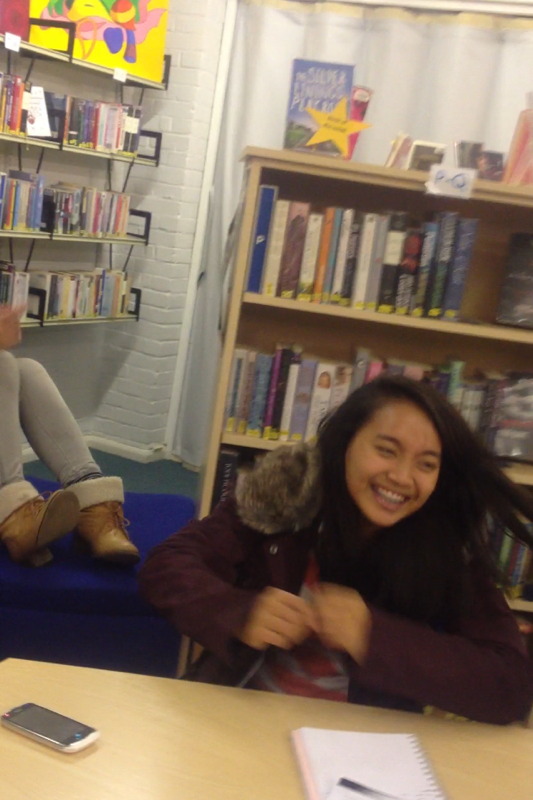
Violet’s scene was the last of the scenes that we had to film. We were set on filming in our school library, but seeing as we were filming during the Christmas break; it proved to be impossible to gain access to our location. As a result, we weren’t able to record the scene with the same equipment as we only had access to them during the holidays. We’ve overcome this by changing our approach to this scene. Filming the therapist, May, Sammy, Elizabeth and Scott we’ve given the audience the omniscient point of view. Violets scene differs as the clip is taken by another character within the footage. By doing this, we’ve given our audience the point of view of bystanders; external from May’s.


Seeing as we didn’t have the same equipment as we did, we didn’t have the luxury of fixing the lights. This made the video raw which is what were going for anyway. We filmed this scene after school and so we were able to ask a few of our friends to be our extras. They had no idea what they were doing in the shot that we were filming and so all of their reactions were genuine which worked to our advantage. Our actress Vita had arrived at our location already in her costume as Daisy had already fixed her up and so all we had to do was film. For her costume we wanted her to look as exaggerated as possible and so she wore: black combat boots, black skinny jeans and a top which revealed her bare stomach. To complete this look we’ve brought in a pink guitar. Her hair and make-up took a lot of effort, Daisy had to use a whole can of hairspray to keep it intact. We intended to use black lipstick for her make-up but found that her costume was lacking colour and so it was replaced with red lipstick. Unfortunately Vita cannot play the guitar and so we gave her a crash course.


These last few posts about our filming days have been uploaded late. This is because of other A-level exams and mocks that I have had to prepare for. Nevertheless, I have included all of the detail and information about our filming, as well as some pictures that we took on the days.


Saturday, 23 February 2013

Filming Day 2!

AB - 23/02/13
Filming Day 2
 

Scott's Scene:

The makeup and costume for this scene needed to transform our main actress Vita (May) into a relatively believable man. The costume was fairly straight forward. In order to flatten her chest we used a sports bra and then she simply wore a man’s suit and coat which bulked out her shoulders. She wore smart ladies shoes as she needed the correct fit in order to successfully run in them. For her props she has a fake gun in a shoulder holster and a fake FBI badge which Daisy's brother made when he was younger made from an old football medal.
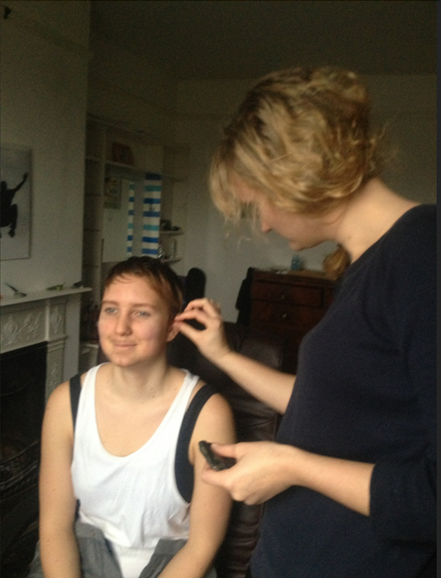
The hair and makeup took the longest as her hair needed to be completely covered in wax and gel. The first style we tried, we kept her hair down and just simply slicked it back. Although she did look very boyish it did not provide enough of a transformation.


At this point, the costume made her look kind of like Sam Winchester out of supernatural:


The second hair style we tried was inspired by the more iconic image of Agent Mulder from The X-Files:


We achieved this look by taking the bottom half of the hair and scraping it up towards the crown, tucking the ends of the hair under before pinning flat to the head. This made the back of the hair mimic the shape of man’s short haircut. With the front half of hair we scraped it back towards the crown, pinned it, and then flipped the ends of the hair back towards the forehead to create a fringe. The one fault of this style was when she run at high speeds the fringe would stick up, but it was ok because our genre allows for elements of comedy.


For Scott`s makeup we used a lot of shading around the jaw, chin, nose, eyebrows and eyes as well as thickening the eyebrows with eyebrow pencil and adding a faint moustache and goatee.The Mistaken business man had no makeup added as he already has a great character full face. His costume was simply a smart suit and his prop was a black brief case.
The Scott scene is shot outside and therefore we found that we only needed to use the natural light, with a few adjustments to the white balance on the camera to define the clouds.
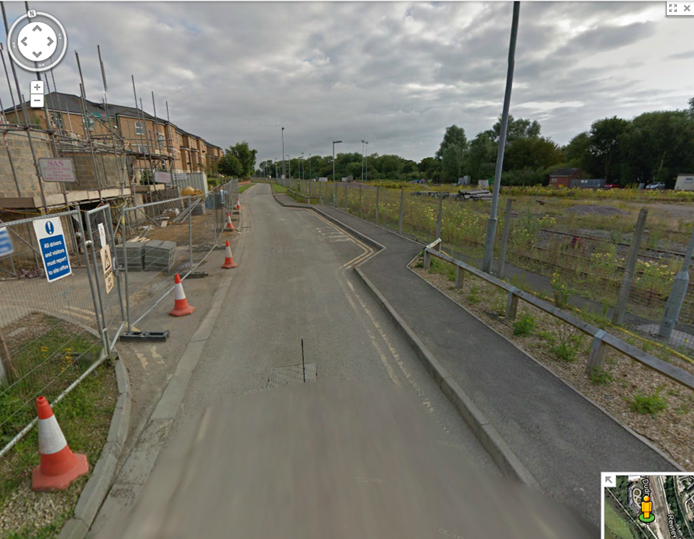
We looked at several locations for the Scott chase Scene including outside the Said business school, behind the shop Maplin and the science and engineering buildings on St. Giles street. However these were all too public and if we shot there we would be in danger of being moved or having too many pedestrains in the shot before we had the footage. The final location that we used was Rodger Dudman Way which is a street that runs directly parallel to the train tracks of the train station. 


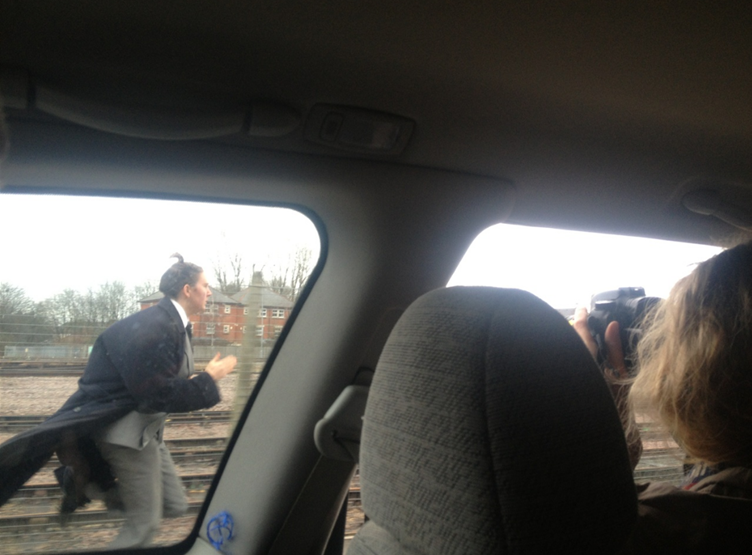
This location not only looked right but provided a clear road for us to do tracking shots using the car. We tried various mid side shots of the chase, filming both Scott and the mistaken business man running alongside the car which we shot out the window.


The difficulty with these shots was the coordination between the actor and the cars speed. Every time we did not get it right, the actors became more tired and colder. However once we got in the swing of things we became better at judging the speeds.

As well as the various side shots we also tried some long shots from the boot of the car, similar to that used in the cycling to the therapist. As the boot was open, the car could only go up to a certain speed as we were in danger of falling out, to prevent this we were tied on to the seats of the car and Daisy's shoulders were held by me and Karl to keep her and the camera steady and inside the vehicle.


Throughout the tracking shots with the car, we used hand held camera work as there was no room or support for a tripod or even for a steady cam. We did however then use steady cam for the end of the chase as we were no longer in the car. We used this camera technique as it provided the correct panicked feel for the scene. Our steady cam is home made. It consists of a pole attached to a horizontal piece of wood which has weights gaffer taped on to each side. The camera is then attached to the top of the pole.
I was in charge of the sound for this scene. The sound was difficult to record due to the wind. The gate of which the mistaken business man is thrown at also made a lot of sound which meant the timing of the speech needed to be exact otherwise it would be muffled by the other sounds. We weren’t sure what we wanted Scott to say once he had caught the man and in the end we stole the famous quote from the Dark Night Trilogy: “WHERE IS IT!” as it seemed to fit. Just before we left we also took a wild track, just in case we needed it for any of the shots.
The great thing about filming where we did was that there was a frequent flow of trains going in and out of the station which we were able to capture. This really added to the momentum of the chase. As well as the area being quiet, the few passer-by’s we did have gave us some great reactions that were caught on camera. A few helicopters flew by which we got Scott to communicate with, and the colour of the natural light was just the right kind of coldness.


 Sammy's scene

The location for this scene took part in the same house in which we shot the therapist scene. The room was originally bare with white walls, a wardrobe and a bed. In order to create the right Mise en scene for a sleepover, the room need to be filled with classic teenage items, generally bulked out and look lived in. We added large items such as pillows, feather bowers and dresses hung on the door of the wardrobe to get rid of the big white spaces. Along with various photo`s, cards and posters stuck to the walls. Shoes were scattered across the floor and small trinkets, perfumes and hair products placed on shelves.
For the lighting we used one light with a pink filter reflected off the ceiling to alter the general colour of the room, as well as a wide white light with a clear filter directed at Vita (May). We then placed another white light by the feet of Jasmine and Daisy (Girl 1 and 2) which we reflected off of the white bed cover in order to light their faces. Having completed the main lighting we then added fairy lights to the room as it fits with the Mise en scene and they generally look great on camera as they add interest to the background. We also added lamps in both corners of the room as they appeared too dark on camera; at first they were too bright so we used black tin foil to dull and direct the light. Although we filmed this scene at night we taped card board to the windows to block out any street light. The main problem that occurred when lighting the set were shadows, we overcame this with patients.
The costume and makeup for this seen was fairly basic. May had very light makeup with just a bit of concealer under the eyes as this makes a person look younger, and mascara to bring out the eyes and emphasise the crying. Her hair was back combed and then we experimented with various different variations of plats and pigtails, in the end we used two high side pigtails as this made her look the youngest. For the costumes it was very important that Sammy`s PJ`s presented her as different from the other girls. We therefore made sure that the colour of the 2 girls costumes had the same pinks and whites of the room, whilst Sammy`s costume was a more boyish Blue, as well as being less fitted and less revealing.
The prop used in this scene is a scarf that Sammy waves about whist jumping on the bed. The idea to use this only occurred when we were filming. The scarf not only adds interest to the scene with its movement but also connects the characters in this scene as Sammy waves the scarf in front of the 2 girls faces.
The camera work used in this scene was varied. Originally we only planned on using static wide shots of her on the bed, but once everything was set up we also experimented with point of view shots of each character and mimicked the action of jumping with the camera. For the crying we used extreme close ups and over the shoulder shots to create a more intense at atmosphere. For the crying the lighting had to be changed and we used white boards to light her face.
We needed to record sound for this scene of both the laughing and crying. I was, therefore, lying just out of shot at the foot of the bed manning the sound.


Thursday, 21 February 2013

Filming (Day 1!)

AB - 21/02/13
Day 1 of Filming
 
Opening/cycling scene:

We decided to begin our filming with the opening cycle ride, where May is travelling to meet her therapist. We decided the location should be an average street/road as there is nothing incredibly significant about May's cycle ride - It's just an average journey. We made sure that there was enough daylight to show that it is during the beginning/middle of the day and that May (Daisy's sister Veta) was dressed in a normal, teenage girl's clothing. Daisy was sat in the back of the car with the boot up so that we could get a clear shot of May riding on her bike - (Karl and I were holding onto Daisy for her protection, making sure she didn't fall out of the boot!). Then, making sure the car was moving as slowly as possible as to not jolt the camera, we began filming May riding her bike. - May is of course behind the car and we filmed her riding towards us as the responsible adult with us drove forward. We repeated this a few times to make sure that we had enough footage and then moved onto May parking her bike outside of the house. We filmed this from the other side of the road with a tripod, making sure that we could clearly see May lock her bike and walk through the front door. (At this point in the film, the audience has no reason to believe that anything is abnormal about this girl, she has just travelled to someones house).


Therapist Scene

Location - We used Daisy's house as the location for our therapist scene as it is spacious, open and has an 'old-fashioned' kind of feel to it, making it seem comforting and safe (as you would expect from a therapist's house).

Lighting - We used 4 high quality lights which we placed around the room. They were quite dim and we placed a blue sheet of plastic over each one to get rid the the artificial feel which they created. These blue sheets, and the white boards that we used to bounce the light onto the actors, help to make the lighting appear more realistic - as if it was coming from outside. The 'barn doors' around each light helped to direct the beams onto specific points, whether it be the 'bounce board' or some area in the back of our shot which was too dark to see.


Costumes - May was still dressed in what she wore on her journey to the therapist - casual teenage girl clothes. The therapist however (played by Daisy's mother) was dressed in more stereotypical, therapist clothes (Casual, but smart, skirt and top).
We felt that this, although quite stereotypical, made her look like an older, intelligent councillor which was after all our aim.


Sound - Using a high-tech sound recorder and microphone we managed to record all of the dialogue in this scene, making sure that the mic was close enough to record a decent sound while remaining out of shot. At points, to get the mic close enough, we had to lift it above the actor's heads using a microphone pole. This recorder was able to tell us how loud the sound was and how much interference we were catching from outside and around the house. This meant that we knew how much useful dialogue we had finally recorded.


We used a dolly (made of an old door, wheels and some wood) to shoot the scene, sliding the camera slowly to the left around May as she enters the room and sits on the sofa. We put the camera on a tripod to film the reactions of the therapist and also the 'noddies' - where we just shoot the small nods or remarks that can be added into the film when we edit.


Elizabeth Scene:

The Elizabeth scene was filmed in the same house and in the same room as the therapist scene. However, we did redecorate the room so that this was not noticeable and shot the Elizabeth scene by the fireplace instead of the sofa. This meant that we could film both scenes on the same day and the room also had the advantage of a real fireplace and chimney, which made the lighting seem less artificial. 


We used the bounce board in combination with the Dedo lights with yellow filter to imitate the flickering fire effect. We experimented with the lights to try to achieve the wanted effects. By waving our hand over the lights we’ve managed to make the wanted flickering effect of the fireplace and candle that Veta (May) is holding. It certainly made the footages more atmospheric. Although no dialogue featured in this scene, we’ve used the mic to record wild tracks such as the fire crackling.


We encountered a few problems with the costume. We had the option of picking between two dresses, one which was dark blue and the other which was light green, currently featured in the pictures. Despite the fact that the dark blue dress had a more classic feel to it, it was too dark in the camera and so we had to pick the green dress over it. There’s the blue sash just below the bust of the dress to improve its fitting on our actress. Pins have been used to put down the ruffles around the collar as they were too prominent. A pearl necklace was used to complete the whole outfit. Not much time had to be used to fix her hair and make-up due to the natural texture of her hair and during the 1800s (which is where this scene was based on) women did not wear heavy make-up.


On the right of the picture above, you can see that we’ve used the homemade dolly to aid us filming this scene. This is to make more interesting footage rather than leaving it a static shot which would have looked bland. By having a moving shot, we’ve managed to capture the background as well, making the shot much more attractive. A few over the shoulder shots were taken as well as part of the noddies which featured Elizabeth turning the pages as she reads.


Monday, 4 February 2013

Mood Board

04/02/13
Mood Board For Our Target Audience


I have created a ‘Mood Board’ for “Me, Myself and I” that helps to show the different target audiences that will be attracted to our film.
Our mood board consists of several pictures which we think best represents our target audience. Because our film uses a wide variety of genres, our target audience is quite spread out and can include almost everyone. Our largest, main picture represents the multiple-personality disorder and shows how our target audience largely consists of people who have been touched by this disability. If it has played a massive part in someone’s life, they are likely to be attracted to our film and this is the reason why they would be our primary target audience. However, there are other aspects to our film, such as the picture in the top left that shows a girl being bullied. This represents the fact that our protagonist is an underdog and is affected by gossip and bullying throughout the story. This links with the top right picture that presents devastation or sadness. This underdog theme occurs repeatedly throughout our film and so our target audience may include people who have been affected by bullying as they can relate to the character of May. The picture of books in the bottom right symbolises school and the fact that the majority of our target audience will most likely be female teenagers (students in education) because our film is all about the life of a teenager and a 17 year olds journey. Finally, we have the picture to represent drama at the top of the mood board which is there to show how people who enjoy drama and suspense will be attracted to our film; therefore being included in the target audience. Our film includes lots of drama as May struggles to handle her disability and get through school. Overall, our target audience includes a variety of people as we include a variety of genres. Because of this, our film is suitable for almost anyone, although our real primary audience will be those who are affected by DID as they will sympathise with the character and story most and teenage girls as they will connect with the protagonist.